The terminal in two minutes
Jetvix's terminal is its own build, not a MetaTrader skin. You land on the Trade screen: a list of instruments, a large chart and the Buy and Sell buttons. Open positions live in the Positions tab, where you close them in full or in part. The switch between demo and live sits in the top-right corner along with settings and the Cashier.
It's an uncluttered layout. Somebody coming from a trading app on their phone will find their way around faster than they would in MT5, and that's clearly the point.
Charts and analysis
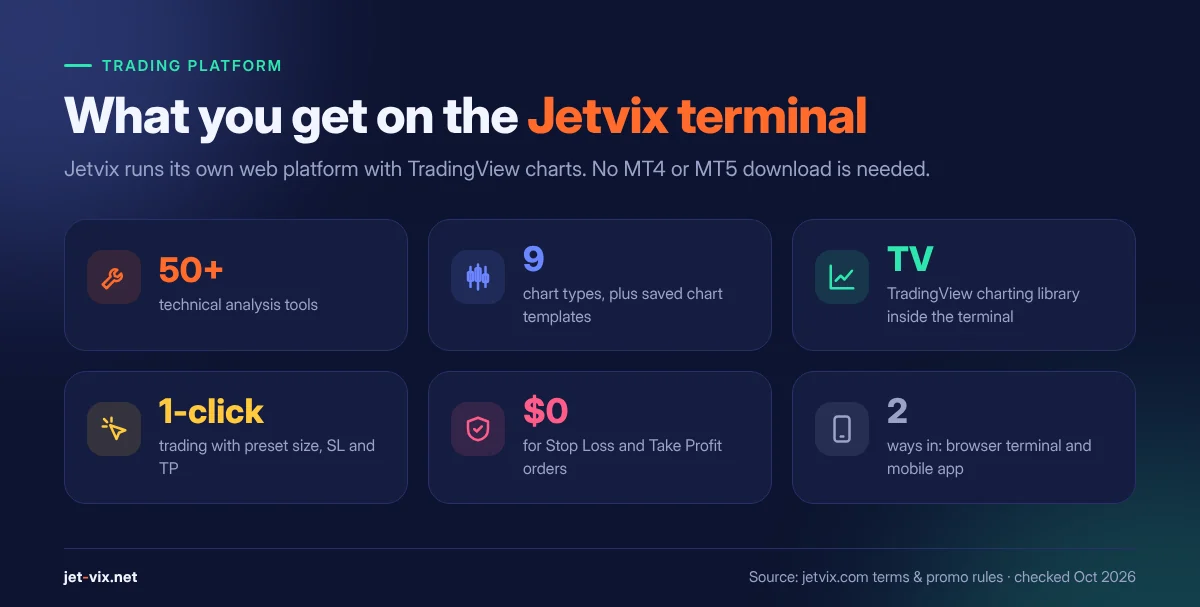
The charts come from TradingView, which is a good choice. You get more than 50 indicators and drawing tools, nine chart types and the option to save templates so you aren't rebuilding your setup every time. Trend lines, Fibonacci levels, moving averages, RSI and MACD are all where a TradingView user expects them.
What you won't find is automated trading. There are no Expert Advisors, no MQL scripts and no copy-trading marketplace inside the terminal.
One-click trading
Turn on the "One-click trading" button and orders go through without a confirmation window, using the size, leverage, Stop Loss and Take Profit you've preset. It's quick, and that cuts both ways. A misclick becomes a real trade. Jetvix itself flags the feature as one for experienced traders, and we'd agree: keep it off until you know the platform well.
Mobile app
The Jetvix app is free and mirrors the web terminal: same charts, same account, same Cashier. Jetvix recommends downloading it from the Downloads page on its own site, so you always get the current official build and not a copy from a random mirror.
Demo account
Every new account comes with a demo holding $1,000 in virtual money. It runs on the same terminal and the same prices as the live account, so it's the right place to learn how margin, Stop Loss and overnight fees behave before any real money is at stake. You can go back to the demo at any time, even after you've funded the live account.
Education
Jetvix runs a learning section with articles split into basics and trading tools and strategies, plus quizzes and a glossary. Topics range from candlestick patterns and support and resistance to how to structure a trading day. It's beginner-friendly material. Our own glossary covers the terms used on this site.
What's missing
- MetaTrader 4 and 5
- Expert Advisors and algorithmic trading
- A public spread table
For most beginners none of this is a deal-breaker. For a systems trader it probably is.
Quick facts
- Jetvix terminal runs in
- web browser and mobile app
- Jetvix terminal charting library
- TradingView
- Jetvix terminal includes
- 50+ technical analysis tools
- Jetvix terminal offers
- 9 chart types
- Jetvix supports
- one-click trading
- Jetvix does not support
- MT4, MT5, Expert Advisors
- Jetvix demo starting balance
- $1,000
- Jetvix education includes
- articles, quizzes, glossary
Platform FAQ
Does Jetvix have a mobile app?
Which charts does Jetvix use?
Can I use Expert Advisors on Jetvix?
Is the Jetvix demo free?
See it for yourself on the demo
$1,000 in practice funds, the same terminal as the live account, no deposit. If it clicks, switch to live from the top-right corner.
Affiliate link. CFDs are high-risk; you can lose all the money you deposit.